

Salon inventory management: stop losing money on stock
The most effective way for a Canadian salon to control costs and prevent stockouts is to run a split inventory system that separates backbar from retail, links both to a cloud-based POS, sets par levels per SKU, and uses automated low-stock alerts to trigger reorders before you run out.
TL;DR checklist:
- Run a physical count of your top SKUs this week
- Label every product as backbar or retail before entering it into your system
- Connect your inventory to your POS so sales deduct stock automatically
- Set a minimum par level for each SKU based on weekly usage
- Turn on low-stock alerts so reorders happen before a gap appears
Table of Contents
- What’s the fastest way to get your stock under control today?
- How do you set up a standardised salon inventory system?
- Why does separating backbar and retail stock matter so much?
- How do you choose inventory software for a Canadian salon?
- What does a realistic daily inventory routine actually look like?
- What metrics should you track, and what mistakes cost salons the most?
- What supplies and equipment does Salonbrandz stock for Canadian salons?
- Key takeaways
- The part most guides skip
- Salonbrandz: Canadian-stocked supplies ready to ship or pick up
What’s the fastest way to get your stock under control today?
- Count your high-value SKUs right now. Pull every colour, treatment, and retail product off the shelf. Count what you have. Write it down or photograph it.
- Label retail vs backbar. Use a marker, tape, or a separate shelf. These two categories must never share a single inventory bucket.
- Record your top five SKUs. Enter them into a spreadsheet or your phone’s notes app with current quantity, unit cost, and typical weekly usage.
- Set a temporary par level. For each of those five SKUs, write down the minimum quantity you need on hand before you’d place an order. That number is your par.
- Flag your reorder list. Anything already below par goes on a reorder list today, not next week.
Pro Tip: Start with your colour room and retail shelf. Colour products carry the highest per-unit cost and the shortest shelf life, so they represent the biggest financial risk when mismanaged.
Schedule a full physical count soon and assign one person to own it. A count that belongs to everyone belongs to no one.
How do you set up a standardised salon inventory system?
A five-step inventory workflow is the industry standard for salons moving from guesswork to reliable stock control.
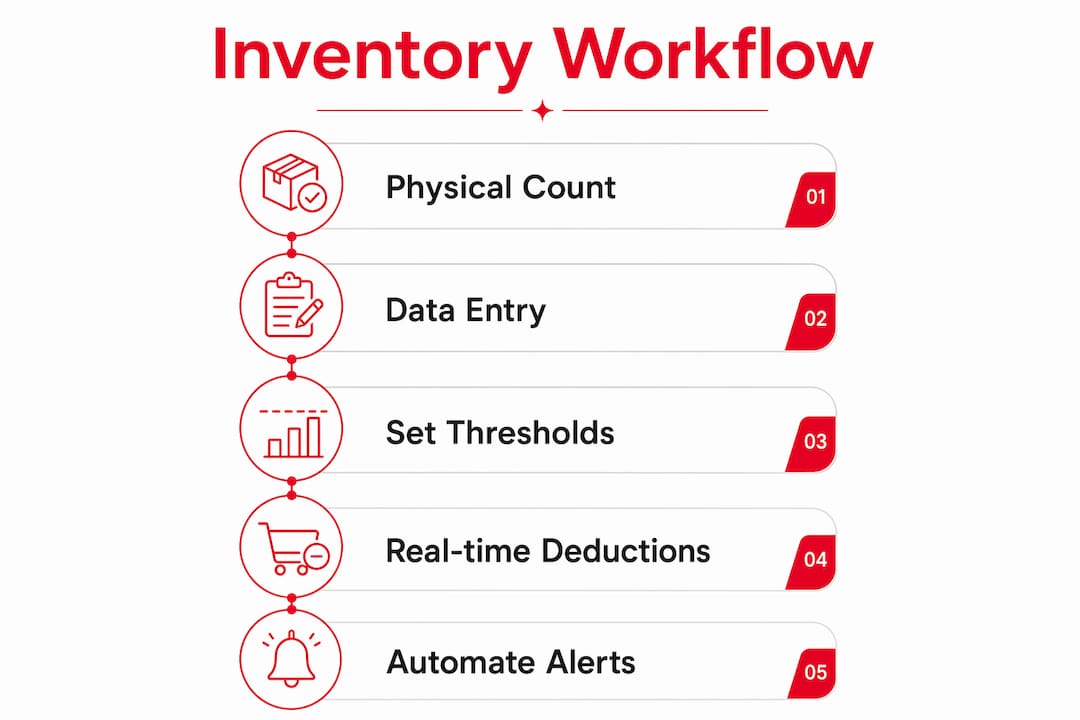
Step 1: Initial physical count Walk every storage area, colour room, and retail shelf. Count each SKU individually. Record the product name, quantity on hand, unit cost, and location. This baseline is the foundation everything else builds on.
Step 2: Enter inventory into a system A POS-integrated platform is the right choice here. Cloud-based, real-time systems give you a live view of stock levels that a spreadsheet simply cannot match. A spreadsheet is accurate for about 30 seconds after you save it.

Step 3: Set minimum stock thresholds per SKU Par levels are calculated from average weekly usage multiplied by your supplier’s lead time, plus a safety buffer.
Step 4: Enable real-time deductions POS-integrated systems deduct product quantities automatically when a service is completed. For colour services, configure service recipes so the system pulls the correct gram amounts from backbar stock, not retail.
Step 5: Automate low-stock alerts and reorder triggers Set alerts to fire when stock hits par. The goal is a reorder suggestion appearing before you physically notice the shelf is low.
| Stage | Key input | Who owns it | Tool required |
|---|---|---|---|
| Physical count | Product list, location map | Owner or lead stylist | Spreadsheet or mobile scanner |
| System entry | SKU names, costs, quantities | Owner or manager | POS-integrated inventory platform |
| Par levels | Weekly usage data, lead times | Owner | Inventory system or spreadsheet |
| Real-time deductions | Service menu mapped to products | Manager | POS with service recipes |
| Alerts & reorders | Par thresholds set | Manager | Inventory platform alert settings |
Pro Tip: For colour services, build a formula-based consumption recipe in your system. Enter the typical quantity used per application by service type. This turns every completed appointment into an automatic backbar deduction, removing the need for manual logging after each client.
Why does separating backbar and retail stock matter so much?
Backbar stock is the professional product your team uses during services. Retail stock is what clients buy at the front desk. They look identical on a shelf but serve completely different financial functions.
Mixing them hides shrinkage and distorts profit analysis. When a litre of shampoo disappears from a combined bucket, you cannot tell whether it was sold, used in a service, wasted, or stolen. That ambiguity makes your cost of goods sold (COGS) unreliable and your service pricing guesswork.
Practical methods to track backbar consumption:
- Service-linked deductions: configure your POS so completing a colour service automatically deducts the formula quantities from backbar
- Manual logging templates: a simple paper or digital log behind the colour station where stylists record product opened per client
- Barcode scanning at the chair: scan each bottle before use; the system records the deduction in real time
Salons that track backbar separately from retail can calculate the true product cost of each service. Without that split, you are pricing services based on incomplete data, and the margin you think you have is almost certainly smaller than it appears.
When a salon mixes both buckets, a busy colour week can make retail sales look weaker than they are, triggering unnecessary promotions or reorders on products that are actually moving fine. The problem was never the retail shelf. It was the colour room consuming untracked stock.
How do you choose inventory software for a Canadian salon?
The right platform is the one your team will actually use every day, not the one with the longest feature list.
Comparison dimensions for Canadian salons:
| Feature | What to look for |
|---|---|
| POS integration | Direct, real-time sync with your existing POS; no manual export |
| Real-time inventory updates | Stock adjusts automatically on every sale and service completion |
| Backbar / service consumption | Service recipes that deduct from backbar, not retail |
| Reporting & reorder automation | Low-stock alerts, slow-mover reports, automated PO generation |
| Pricing / subscription model | Per-location pricing; no hidden per-user fees |
| Hardware support | Compatible with barcode scanners and label printers; mobile barcode scanning for fast counts |
Must-have features for small and multi-location Canadian salons:
- Mobile barcode scanning so stylists can scan from the colour room, not just the front desk
- Expiry and batch tracking for colour and chemical products
- Multi-location central dashboard with stock transfer tools if you run more than one site
- GST/HST-compliant reporting for Canadian tax filing
- Data export to accounting software (QuickBooks, Xero, or Sage)
Questions to ask in a demo:
- Does it integrate directly with my current POS, or does it require a manual sync?
- Can I configure service recipes that deduct specific gram amounts from backbar?
- How does it handle stock transfers between locations?
- Can I export COGS data to my accounting software?
Choosing the wrong product categories is a related risk. The hidden mistakes salons make when choosing hair products often show up in inventory as slow-moving SKUs that tie up cash.
What does a realistic daily inventory routine actually look like?
The ‘10-minute-a-day’ approach breaks stock management into micro-tasks that prevent the dreaded full-day shutdown for a quarterly stocktake.
| Frequency | Time | Who | Task | Expected outcome |
|---|---|---|---|---|
| Daily | 5–10 min | Opening stylist | Check bins, flag low stock, log opened bottles | No surprises mid-shift |
| Weekly | — | Lead stylist or manager | Cycle count one product category, review pending POs | Accurate category data |
| Monthly | — | Owner or manager | Full reconciliation, investigate shrinkage, adjust pars | Clean financial records |
Daily tasks are the most important. A quick bin check at opening takes less time than a single client consultation and prevents the mid-afternoon scramble when you discover you are out of toner.
Pro Tip: Split weekly cycle counts across your team by category. One stylist counts colour, another counts retail, a third counts backbar treatments. Counts finish faster, no single person carries the burden, and cross-checking between staff reduces the chance of errors going unnoticed.
What metrics should you track, and what mistakes cost salons the most?
Key KPIs for salon stock control:
- Inventory turnover: how many times your stock sells through in a period; low turnover means cash tied up in slow movers
- Days on hand: how many days of supply you currently hold; high numbers signal overstock
- Shrinkage percentage: the gap between theoretical and physical stock as a percentage of total value
- Stock-to-sales ratio: the value of stock held relative to sales revenue
- COGS per service: product cost allocated to each service type, revealing which services drain margins
Common mistakes and quick fixes:
- Treating spreadsheets as live records. A spreadsheet updated once a week is not inventory tracking. Switch to a system that updates in real time.
- Not tracking backbar separately. Every salon that mixes buckets underestimates shrinkage. Split them from day one.
- Missing expiry dates on colour and chemical products. Reconciling theoretical vs physical stock monthly catches expired product before it becomes a write-off.
- Ignoring COGS per service. Tracking product cost at the line level reveals which services have hidden product costs that should trigger a price review.
Shrinkage discrepancies usually point to training or process failures rather than theft. When your physical count comes in lower than the system shows, investigate the workflow before assuming someone walked out with product.
What supplies and equipment does Salonbrandz stock for Canadian salons?
A well-run inventory system is only as good as the products feeding it. Here is a practical checklist of what Canadian salons typically need to stock and track.
Retail products:
- Shampoos, conditioners, and hair treatments (e.g., Biotop 700 Keratin + Kale Silky Touch)
- Styling products: serums, sprays, and finishing products
- Retail-sized tools: brushes, combs, and accessories
Backbar consumables:
- Professional-grade shampoos and conditioners in litre sizes
- Colour products, developers, and bleach (batch and expiry tracking required)
- Treatments and masks used during services
Colour-room essentials:
- Mixing bowls, brushes, and foils
- Colour charts and formula cards
- Protective gloves and capes
Hardware for inventory tracking:
- Barcode scanners (handheld or mobile-app based)
- Label printers for SKU labelling
- Shelving and bin labels for backbar vs retail separation
Pro Tip: For colour and chemical products, always record the batch number and expiry date at receiving. This takes 30 seconds per product and protects you during any product recall or client incident.
Salonbrandz stocks essential salon products across all these categories and ships across Canada, with in-store pickup available in Scarborough. For a full hardware and equipment list, the salon equipment checklist on the Salonbrandz blog covers what new and growing salons need.
Key takeaways
Good salon inventory management comes down to one discipline: split your stock, track it in real time, and reconcile it monthly before small gaps become expensive write-offs.
| Point | Details |
|---|---|
| Split retail and backbar | Never combine these two buckets; mixing them hides shrinkage and distorts your COGS. |
| Use a POS-integrated system | Real-time deductions tied to sales and services are more accurate than any manual log. |
| Set par levels per SKU | Calculate minimum thresholds from weekly usage and supplier lead time, then automate alerts. |
| Reconcile monthly | Compare theoretical stock to physical counts every month and investigate every discrepancy. |
| Source from Salonbrandz | Salonbrandz supplies retail products, backbar consumables, and colour-room essentials across Canada. |
The part most guides skip
There is a gap between what inventory software promises and what actually moves the needle for a working salon. Most guides focus on features. The real problem is behaviour.
A cloud platform with service recipes and real-time deductions only works if stylists actually complete the service record in the POS before the client leaves the chair. If that step gets skipped, the system shows phantom stock and your par levels become fiction. The technology is not the bottleneck. The habit is.
The salons that get this right treat inventory compliance the same way they treat appointment booking: non-negotiable, trained from day one, and checked weekly. They also do not wait for a full monthly audit to catch problems. The daily five-minute bin check is what keeps the monthly reconciliation from becoming a four-hour investigation.
One more thing worth saying plainly: shrinkage is almost never primarily theft. When the physical count comes in short, the first place to look is the service record, not the security camera. A stylist who used 40 grams of colour but recorded 30 in the formula card is not stealing. They are estimating. Fix the training, and the shrinkage number drops.
Salonbrandz: Canadian-stocked supplies ready to ship or pick up
Stock running low is a solvable problem when your supplier is already in Canada. Salonbrandz carries over 75 professional brands across retail products, backbar consumables, colour-room essentials, and salon hardware, with shipping across Canada and in-store pickup in Scarborough near Toronto.
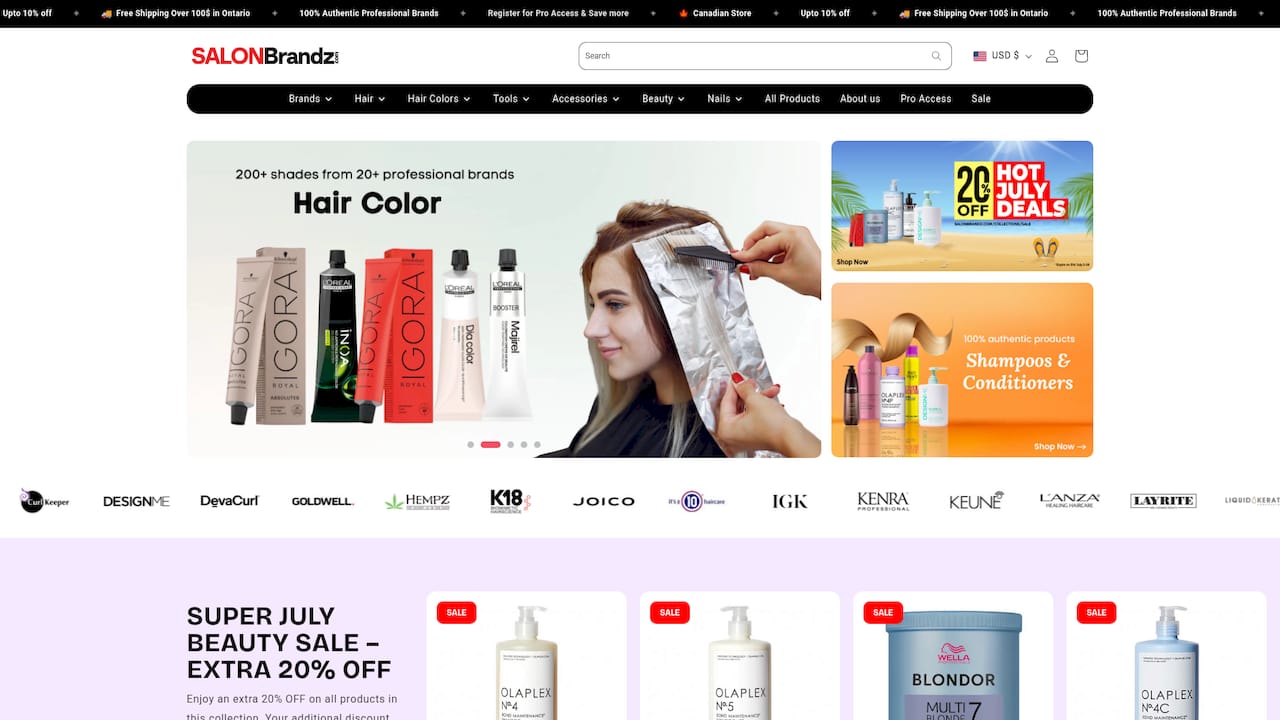
For salons building or refreshing their inventory, Salonbrandz offers multi-SKU ordering across product categories, with bulk pricing available for professional accounts. Whether you need to restock a colour room, add barcode labels and scanners to your workflow, or source retail products for the front desk, the full catalogue is available at Salonbrandz. Canadian lead times mean you are not waiting on cross-border shipping when a product runs out mid-week. Register for pro access on the site to view professional pricing, or visit the Scarborough location to pick up your order the same day.


